Skip to content

How to connect a Freename domain on Typedream

Discover how to connect your website build with Typedream to a Freename Web3 Domain, easy, simple and seamless.
How to connect a Freename domain on Typedream

Welcome to the guide on how to connect your Typedream website to a Freename Web3 Domain

Set the Domain name on Typedream
How to connect Freename Domain Typedream

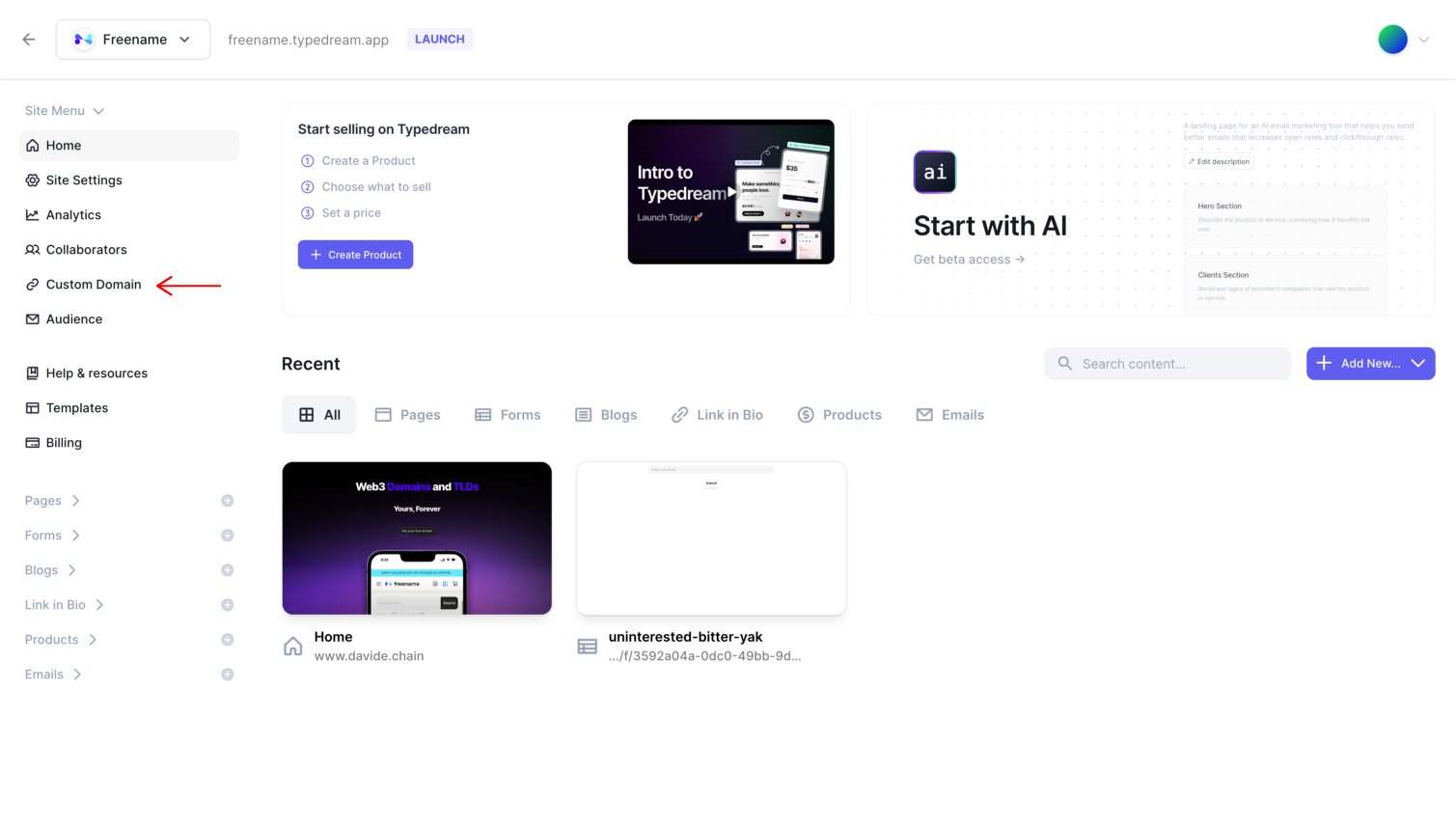
1. Once your website is ready, go to “Custom Domain”
How to connect Freename Domain Typedream

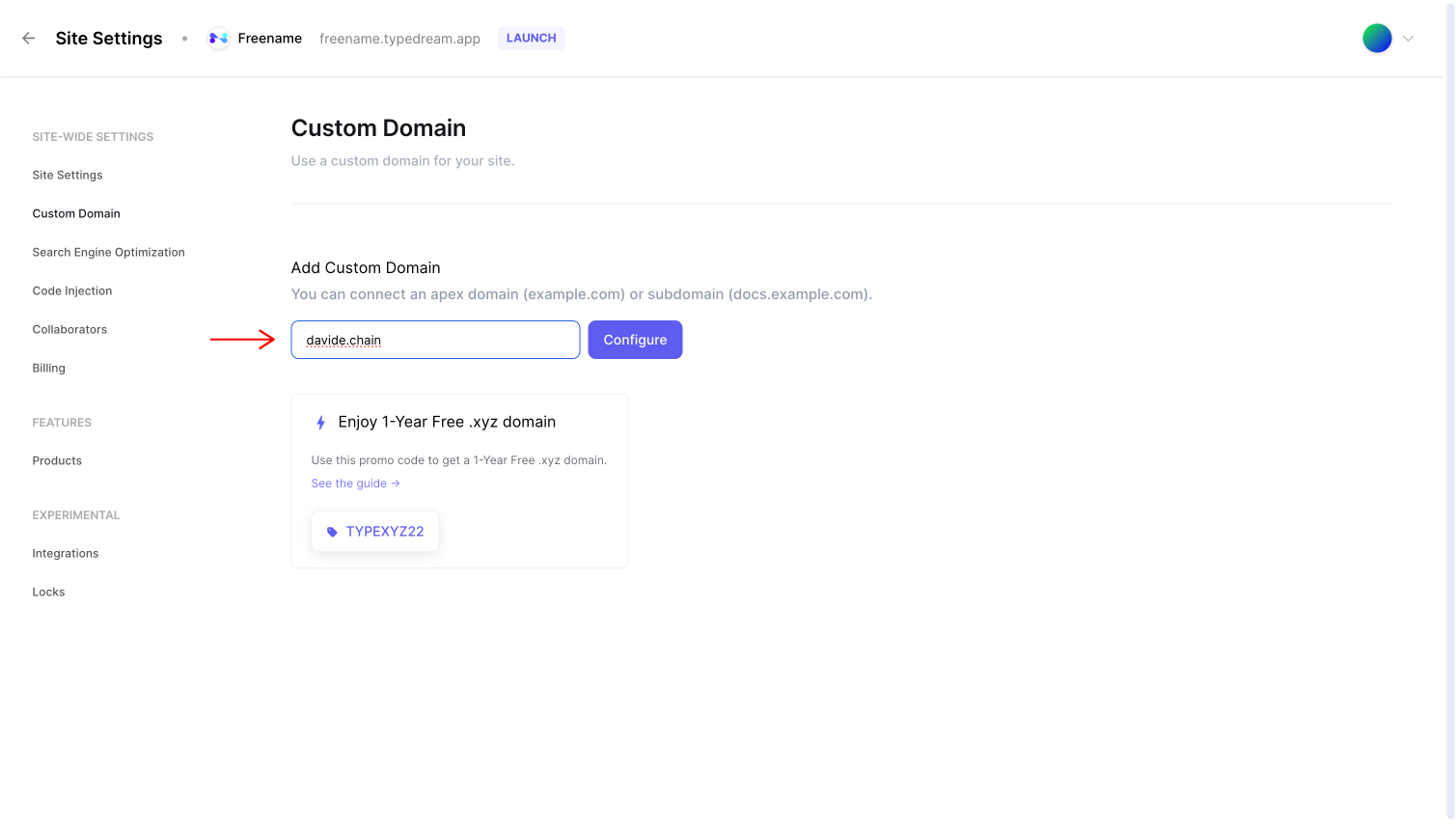
2. Enter your domain name in the custom domain field and click on “configure”
How to connect Freename Domain Typedream

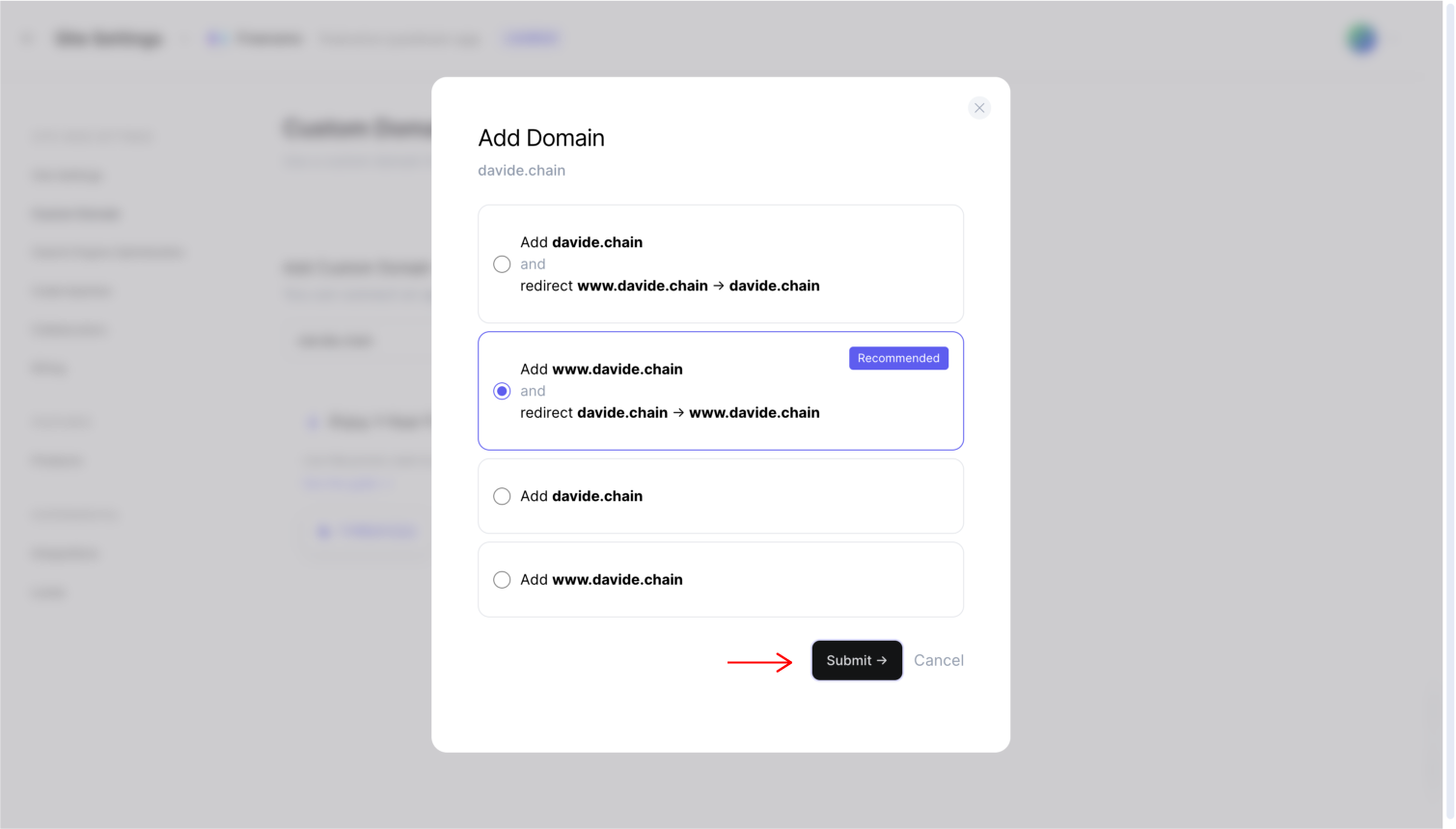
3. Select the recommended configuration and click on “Submit”
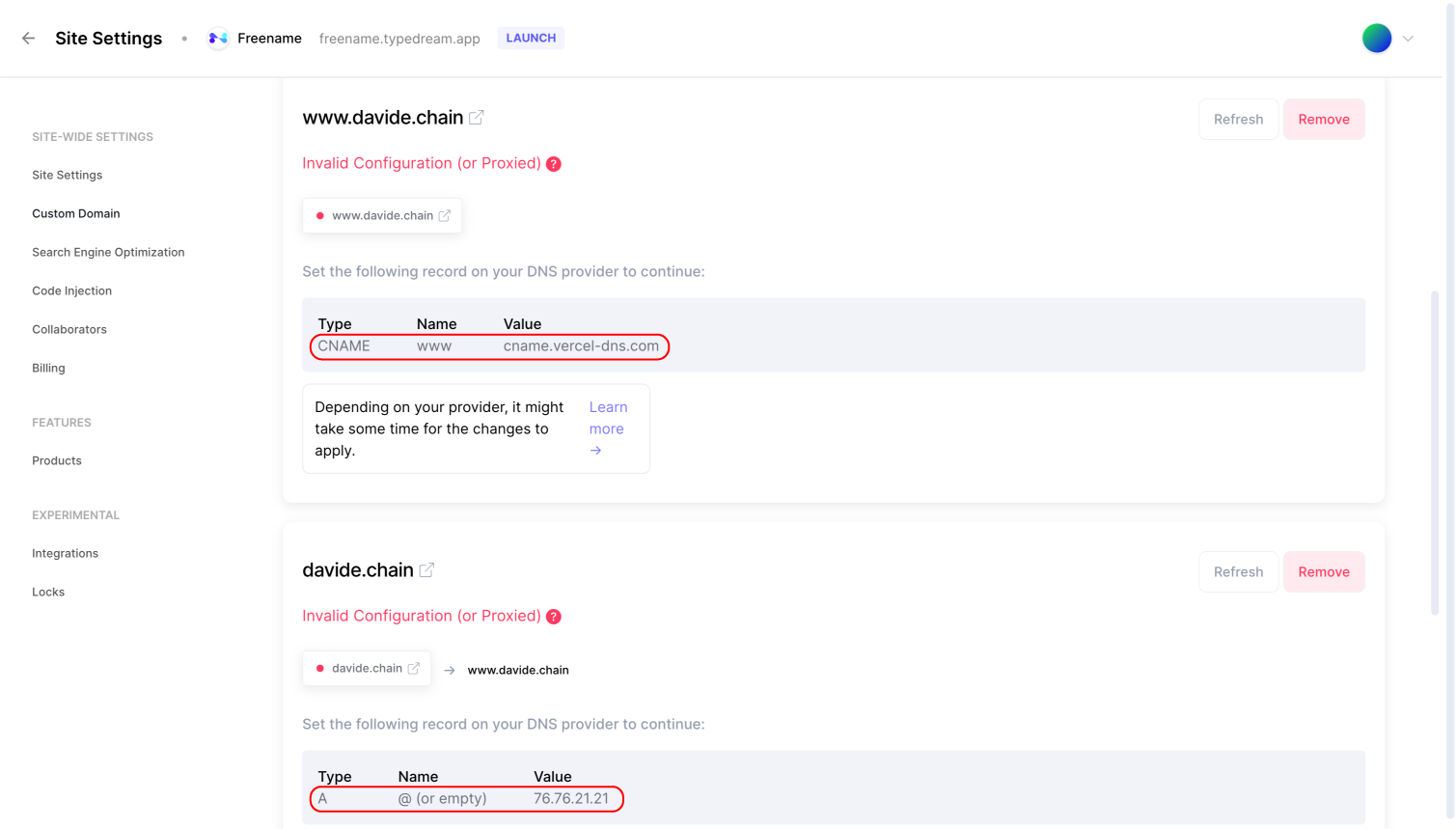
How to connect Freename Domain Typedream

4. Once added, copy and paste the “CNAME” and “A” values provided by Typedream

2. Set the DNS values on your Freename Domain
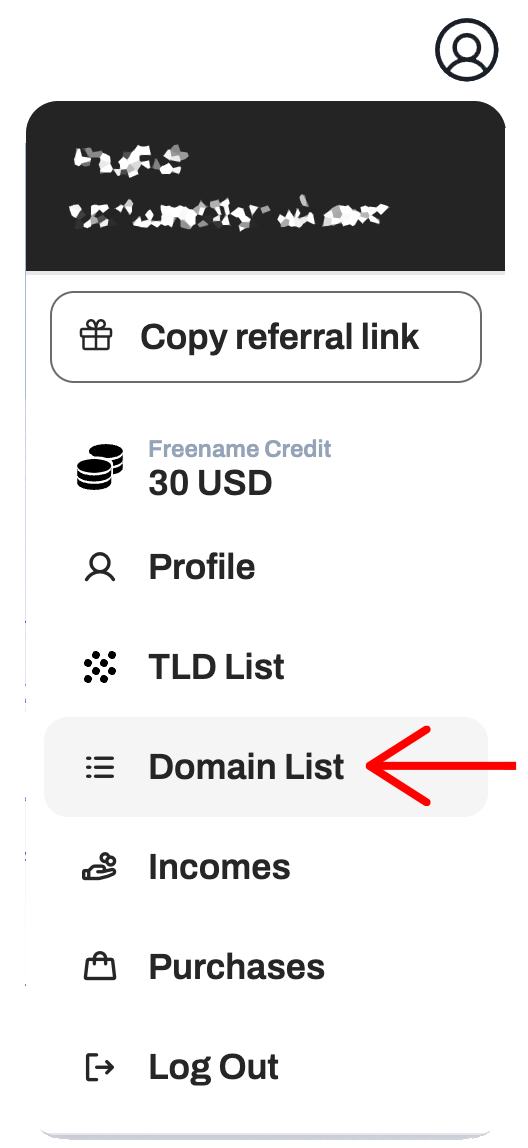
How to connect Freename Domain Typedream

1. Navigate to your domain list

How to connect Freename Domain Typedream

2. Find the domain you want to use and click on “Manage”
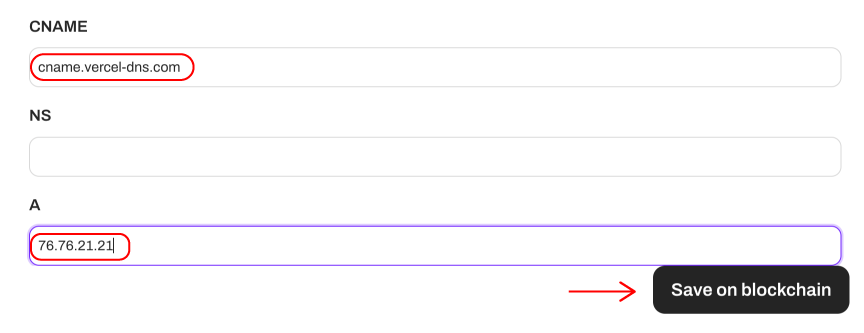
How to connect Freename Domain Typedream

3. Paste the “CNAME” and “A” values provided by Typedream, and click on “Save on blockchain”

Your Freename Web3 Domain is now connected to your Typedream website!

Keep reading

How to Buy Domain with Crypto (Quick Guide)

How to Buy Domain with Crypto (Quick Guide)

Just as you can use Bitcoin or crypto to buy things and services, you can also use ...

Read the story
Best Web3 Browsers: An In-Depth Guide

Best Web3 Browsers: An In-Depth Guide

Web3 is here and is making waves. With decentralized applications (dApps), tokenized ...

Read the story
Domain Name Value - What You Need to Know About Domain Valuation

Domain Name Value - What You Need to Know About Domain Valuation

A domain name’s value depends on its demand, brandability, and technical characteristics, ...

Read the story