Skip to content

How to set a record "A" on Freename domains

Discover how to set the "A" DNS record on your Freename domains, to connect your website and show it to the Web3 World!
How to set a record "A" on Freename domains

Welcome to the guide on how to set your DNS “A” record, this will allow you to connect your website and make it reachable to any browser thanks to our DNS application.

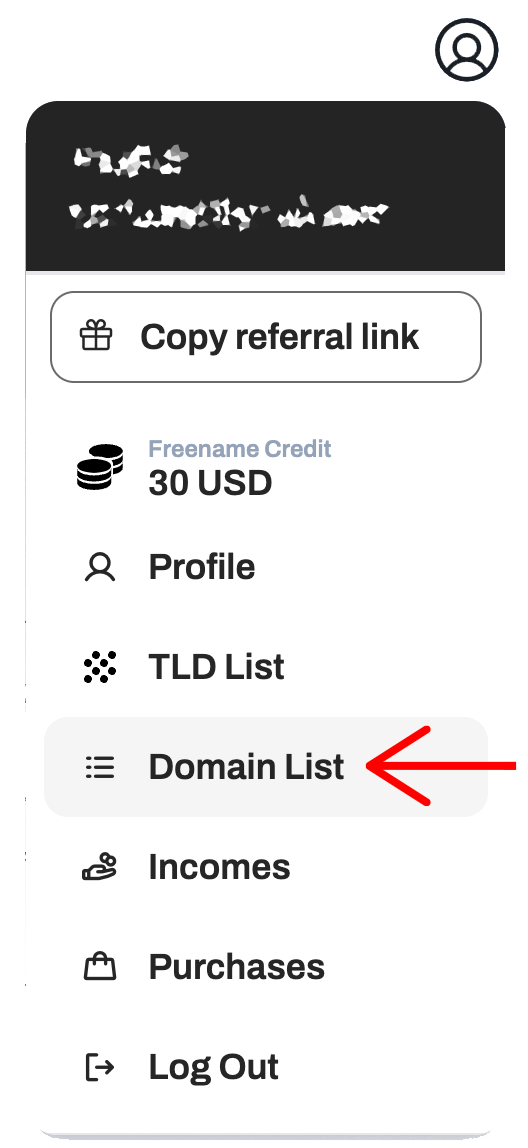
1. Access your domains

Record A freename Domains

Click “Domain list” by clicking on your profile and navigating the dropdown menu.

2. Manage your Domain

Record A freename Domains

Once you find the domain you want to edit the DNS of, click on “Manage”.

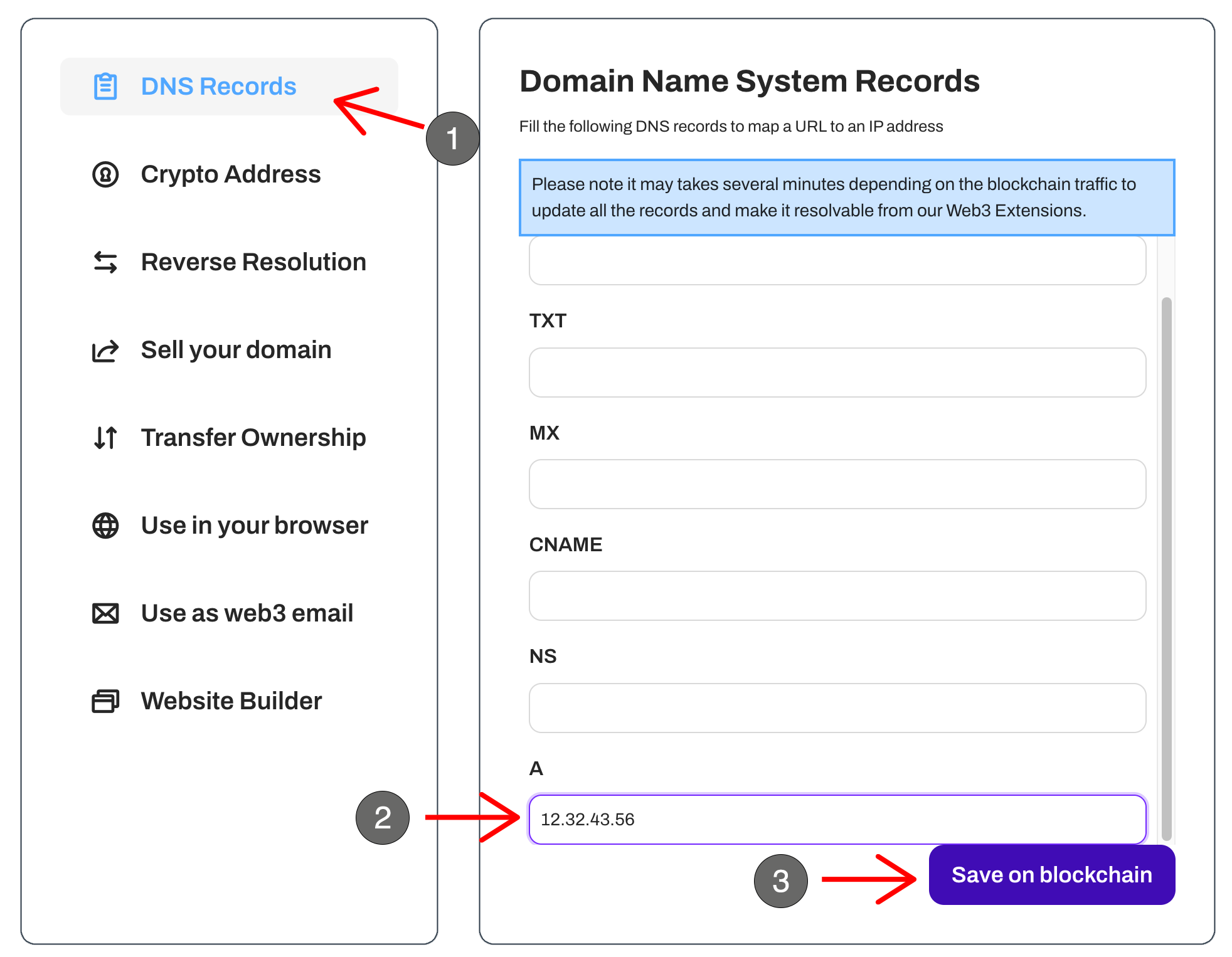
3. Edit your DNS

Record A freename Domains

1. Access the “DNS Records” tab
2. Edit your “A” Record to point to your website 
( or use 34.22.218.54 to point your domain to our Web3 Landing page)
3. Save on Blockchain

Keep reading

The Enduring Power of Domains

The Enduring Power of Domains

Few technologies have remained as quietly foundational and as widely misunderstood as ...

Read the story

The Long Game of .COM

The Long Game of .COM

Few figures have left a mark on the domain name industry as deep and as enduring as Mike ...

Read the story

Why Your .com Should Be Your Wallet

Why Your .com Should Be Your Wallet

The internet is changing, but not in the way most people would assume hearing this ...

Read the story