How to Import Web3 Domains to Freename
Import Web3 domains into Freename so you can manage them in Freename. You can Import domains held in your wallet, including Unstoppable, and ENS domains.
Importing Web3 Domains Overview
You can import Web3 domains into your Freename account so you can view and manage them from your Portfolio. This import supports domains held in your wallet, including Freename, Unstoppable, and ENS domains. The import process works by connecting a wallet to your Freename account and syncing the domains found in that wallet. If you have many domains, the sync can take time.
Before You Start
- Make sure you have access to the wallet that holds the domains you want to import.
- Only domains that are minted and present in the wallet you select can be synced.
Step-by-Step: Import Web3 Domains
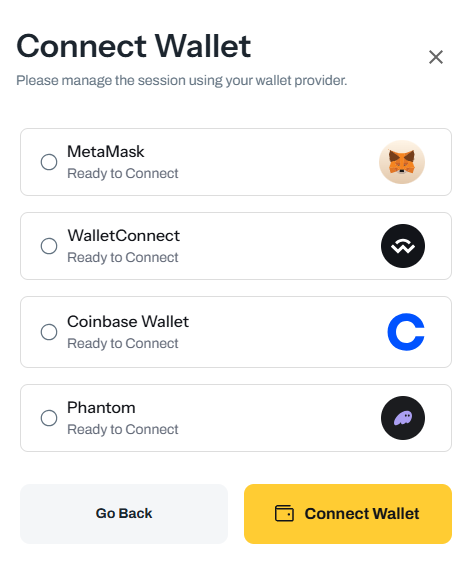
1) Add your wallet to your Freename account
- Open Settings: https://freename.com/dashboard/user/settings/
- Click Add Wallet.
- Approve the request with your wallet.
2) Import domains from your wallet
- Go to your Portfolio: https://freename.com/dashboard/user/portfolio/
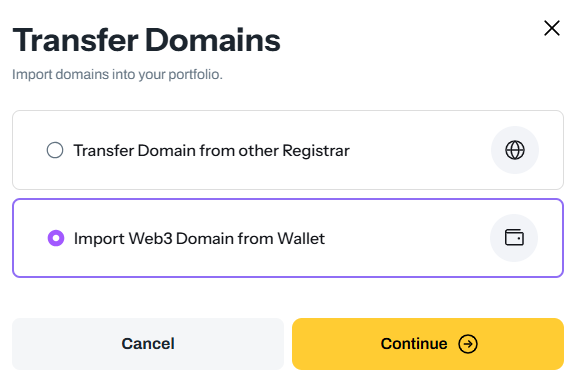
- Click Import Domains.
- Select Import Web3 Domain from Wallet.
- Choose the wallet you want to use.
- Click Sync.
3) Wait for synchronization
- If you are importing many domains, allow up to 24 hours for the Web3 Domains and Web3 TLDs portfolios to fully synchronize.
FAQ
I imported the domains and confirmed, but I still don’t see them. What should I do?
If you have many domains, the sync may take up to 24 hours. If more than 24 hours have passed since you started the sync, contact [email protected] and include:
- Your wallet address
- The chain
- A few example domains that are not showing in your Portfolio- I want to import the domains into a different Freename account. How can I do it?
You can create a new Freename account, add the same wallet address, and run the Web3 import process again. Keep in mind that only domains that are minted and present in the wallet you select will be synchronized. - Can I import domains from multiple wallets?
Yes. You can add multiple wallets in your account and run the import for each wallet. We recommend syncing one wallet at a time, and not starting multiple wallet imports simultaneously. - Do I need to add the wallet first, before importing?
Yes. You must add the wallet in Settings first, then you can select it during the import flow.